Fly through work at 2x speed

Automate planning, scheduling, and follow-up directly from your inbox and calendar.

Hero Image
Hero Image
Hero Image

Features

Turn conversations into outcomes

Decisions, next steps, and action items are handled without manual cleanup.
Capture decisions

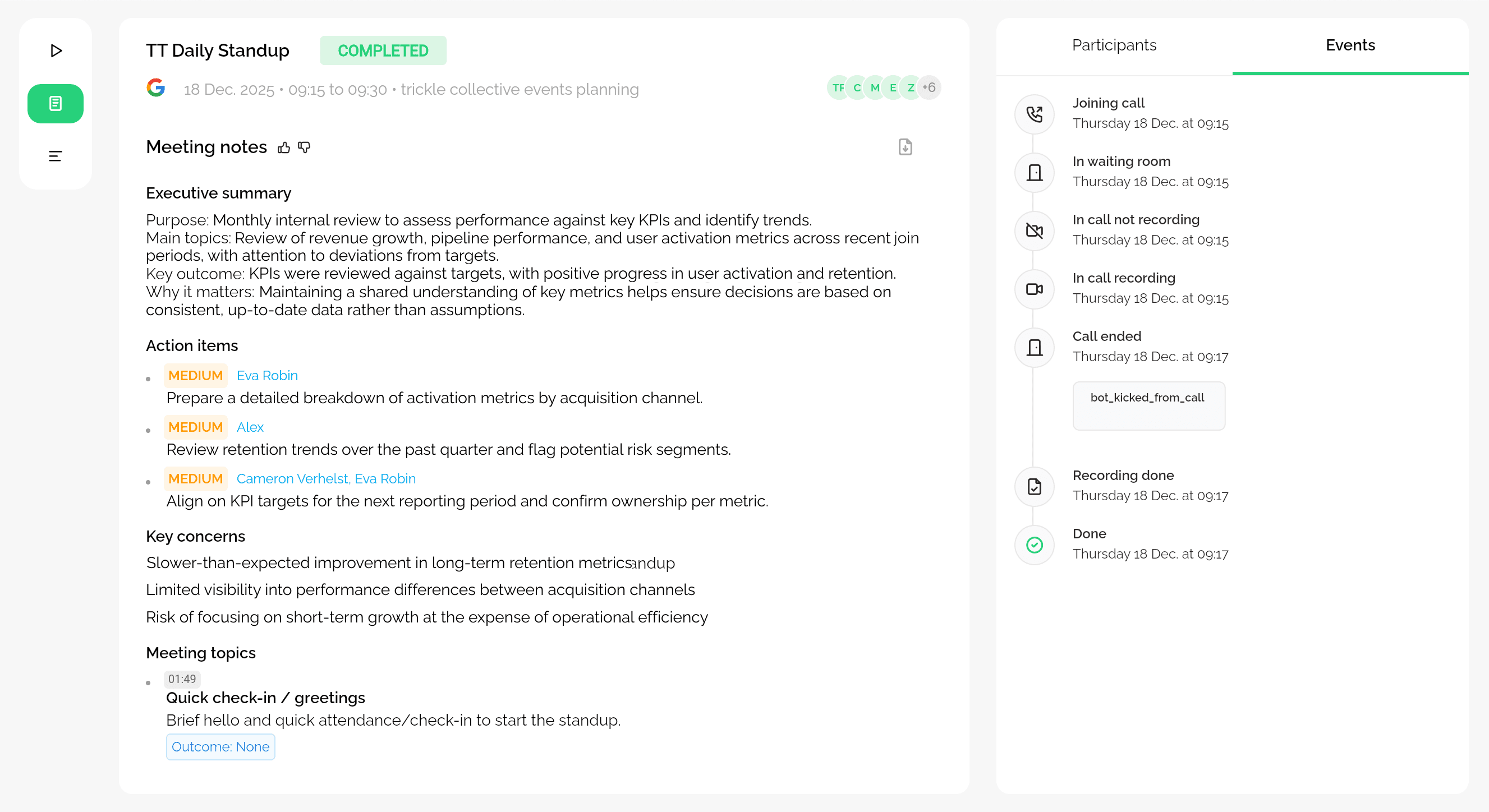
When Trickle joins a meeting, it takes care of the follow-up. Decisions and next steps are captured and shared so nothing leaks into the rest of your day.

Decisions and action items are summarized

Decisions and action items are summarized

Decisions and action items are summarized

Follow-up is sent automatically after the meeting

Follow-up is sent automatically after the meeting

Follow-up is sent automatically after the meeting

A shared record is available if needed

A shared record is available if needed

A shared record is available if needed

No notes or reminders to manage

No notes or reminders to manage

No notes or reminders to manage

Organize your inbox

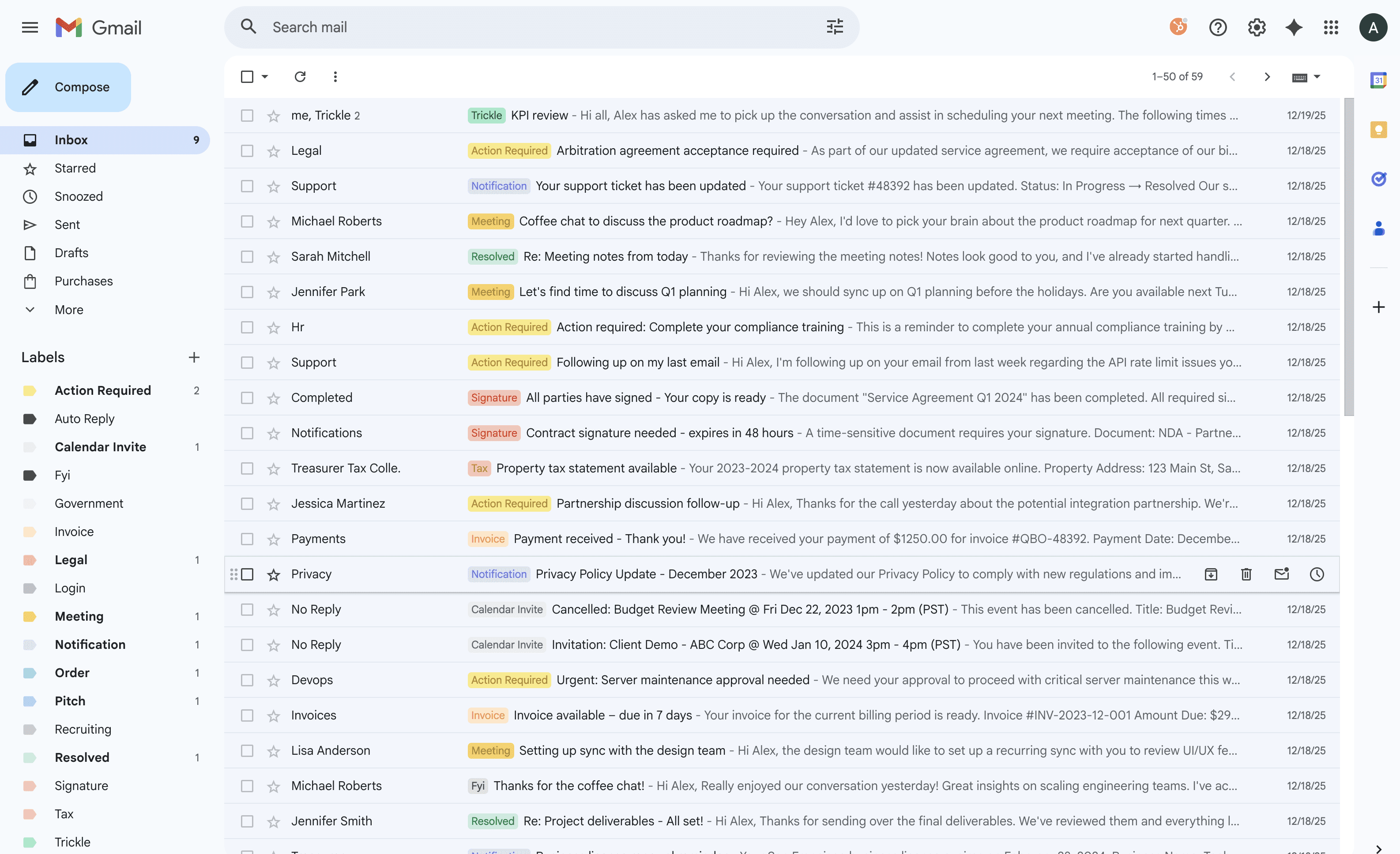
Trickle organizes your inbox so you can immediately see which emails need action, which are meeting-related, and which can wait, without scanning every message.

Action-required messages are clearly separated

Action-required messages are clearly separated

Meeting and scheduling emails are grouped

Meeting and scheduling emails are grouped

Low-signal messages stop interrupting you

Low-signal messages stop interrupting you

No rules or filters to set up
No rules or filters to set up

Features

Schedule without back-and-forth

Scheduling shouldn’t require long threads or copy-pasting times.
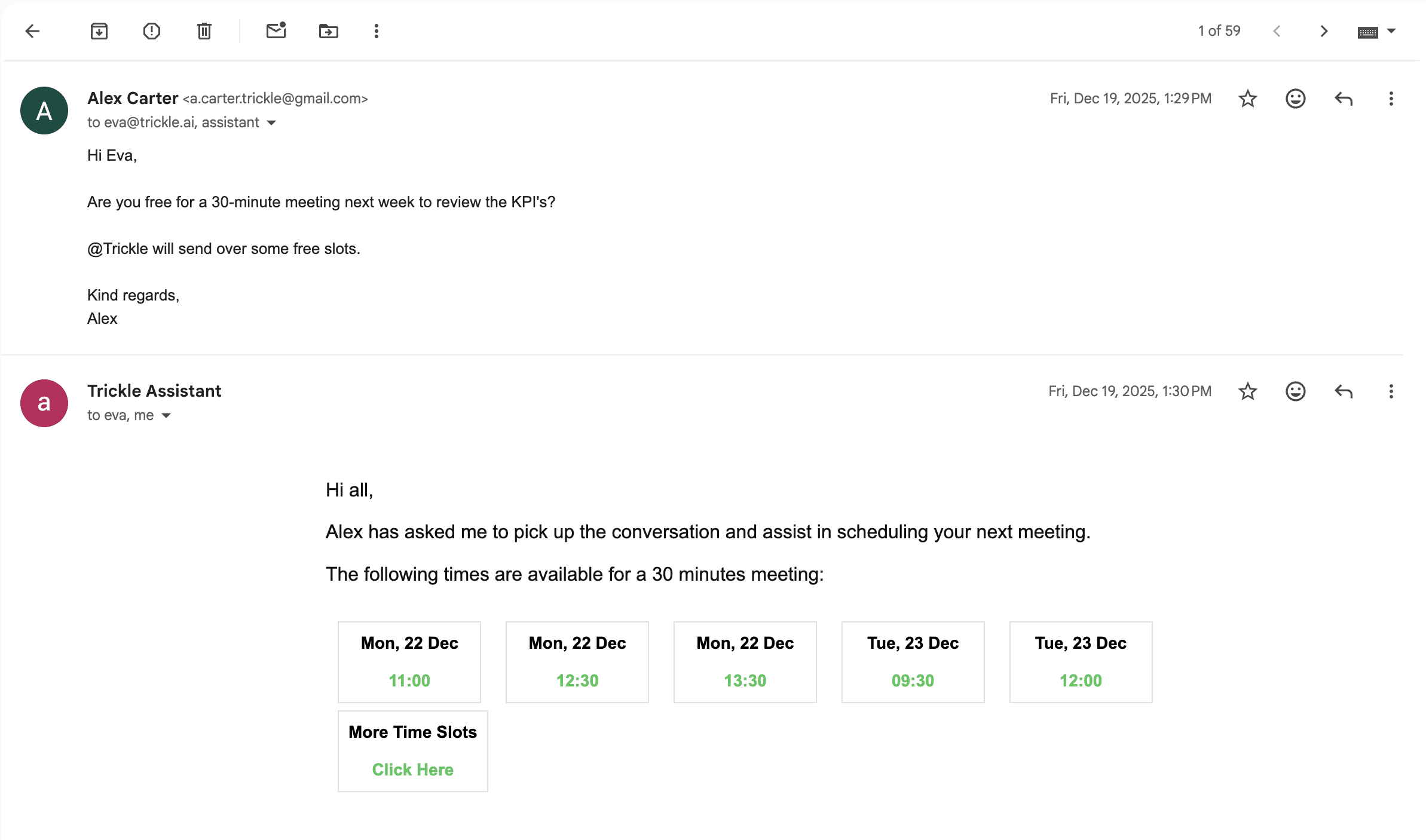
Schedule from email

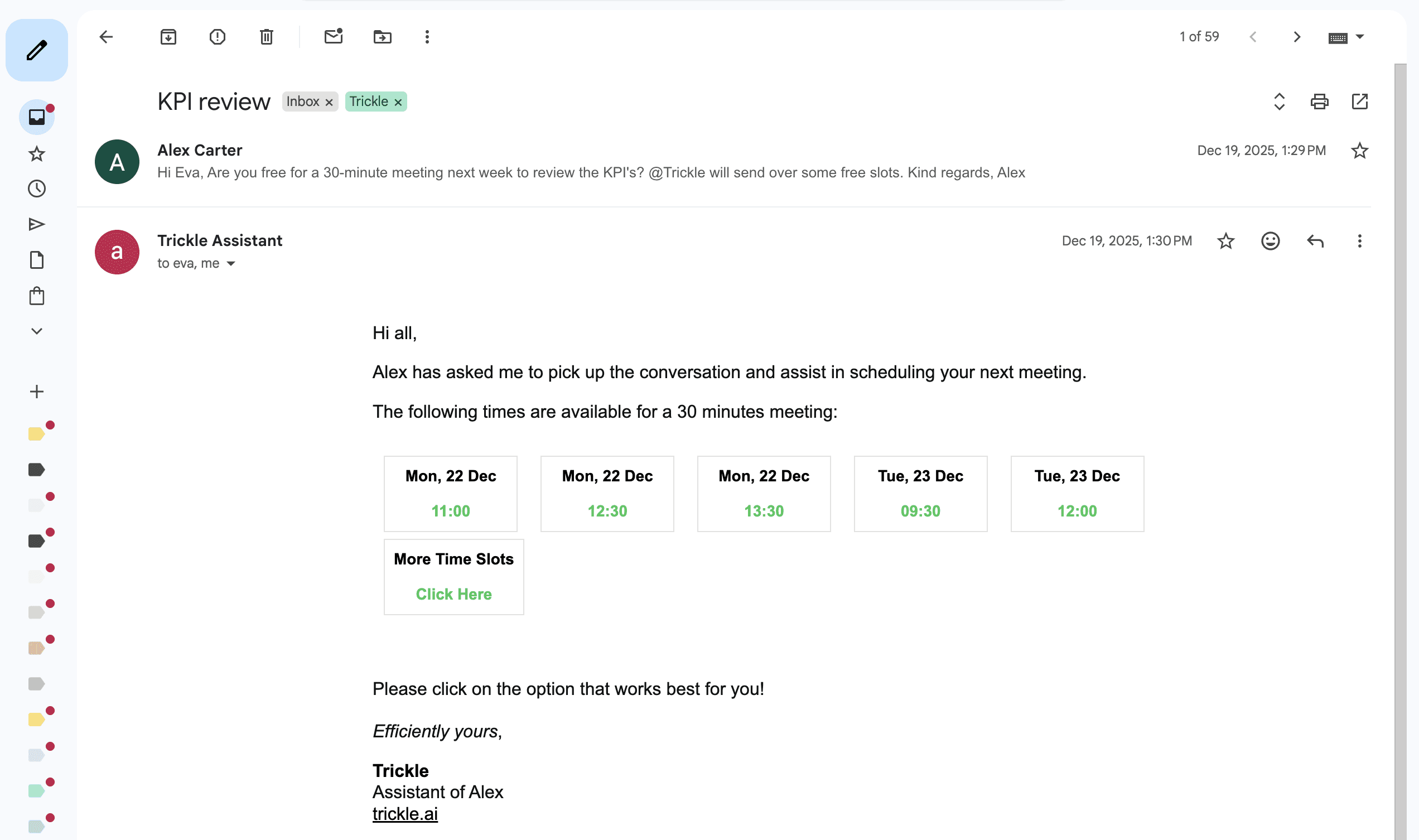
When scheduling comes up in email, Trickle handles the calendar work for you. Dates, times, and context are handled without switching tools. Just CC Trickle and let it handle the rest.

Works directly from your existing email threads

Works directly from your existing email threads

Works directly from your existing email threads

Picks up scheduling details automatically

Picks up scheduling details automatically

Picks up scheduling details automatically

Creates or proposes meetings without copy-paste

Creates or proposes meetings without copy-paste

Creates or proposes meetings without copy-paste

Email workflow stays unchanged

Email workflow stays unchanged

Email workflow stays unchanged

Share one scheduling link

Instead of emailing back and forth, share one link. Trickle only shows time slots that actually fit, so scheduling ends quickly.

Only offers times that fit your real availability

Only offers times that fit your real availability

Working hours and preferences respected

Working hours and preferences respected

Conflicts prevented automatically

Conflicts prevented automatically

Works for 1:1s and group meetings
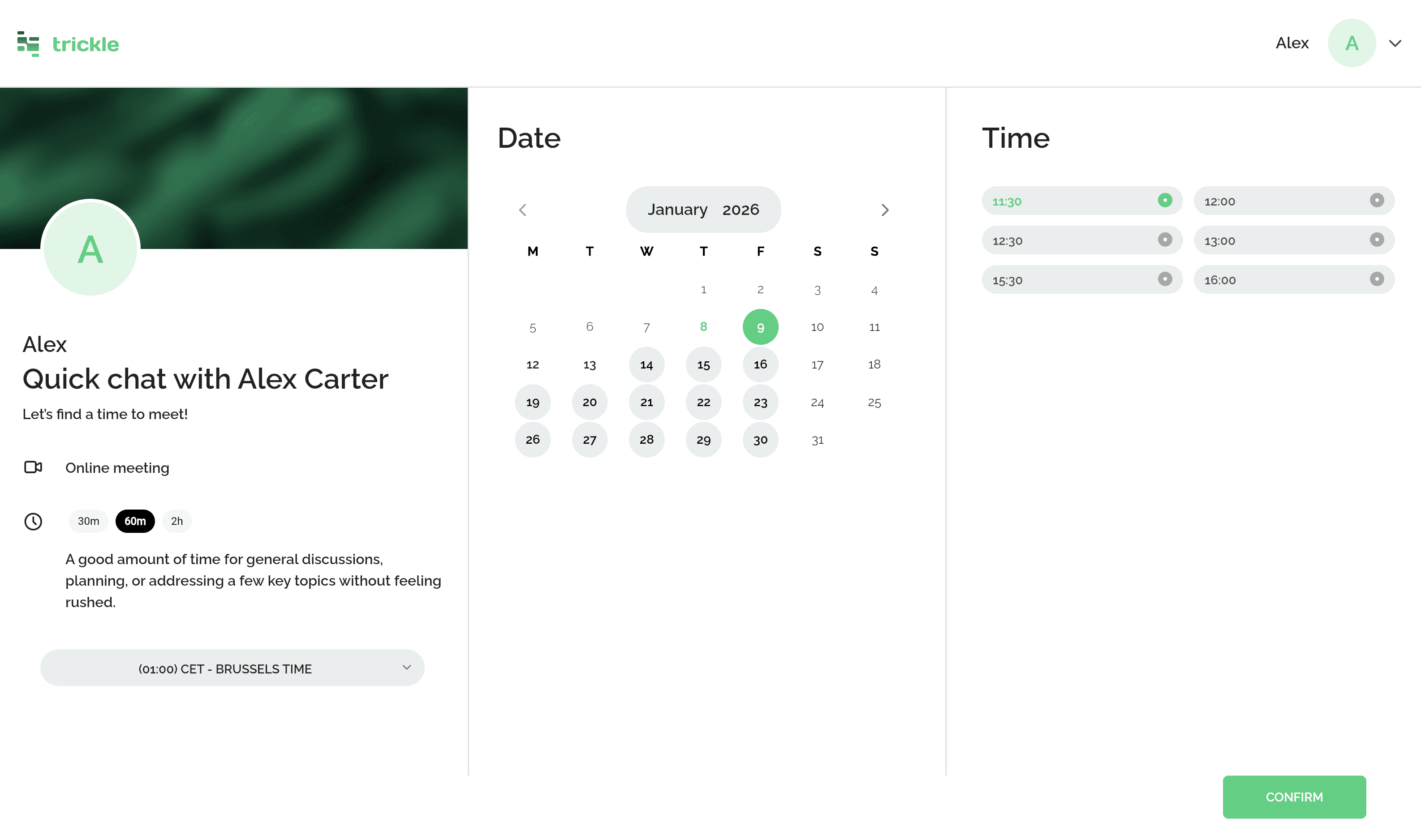
Works for 1:1s and group meetings

Features

See your real availability

You shouldn’t have to check three calendars or second-guess availability before committing.
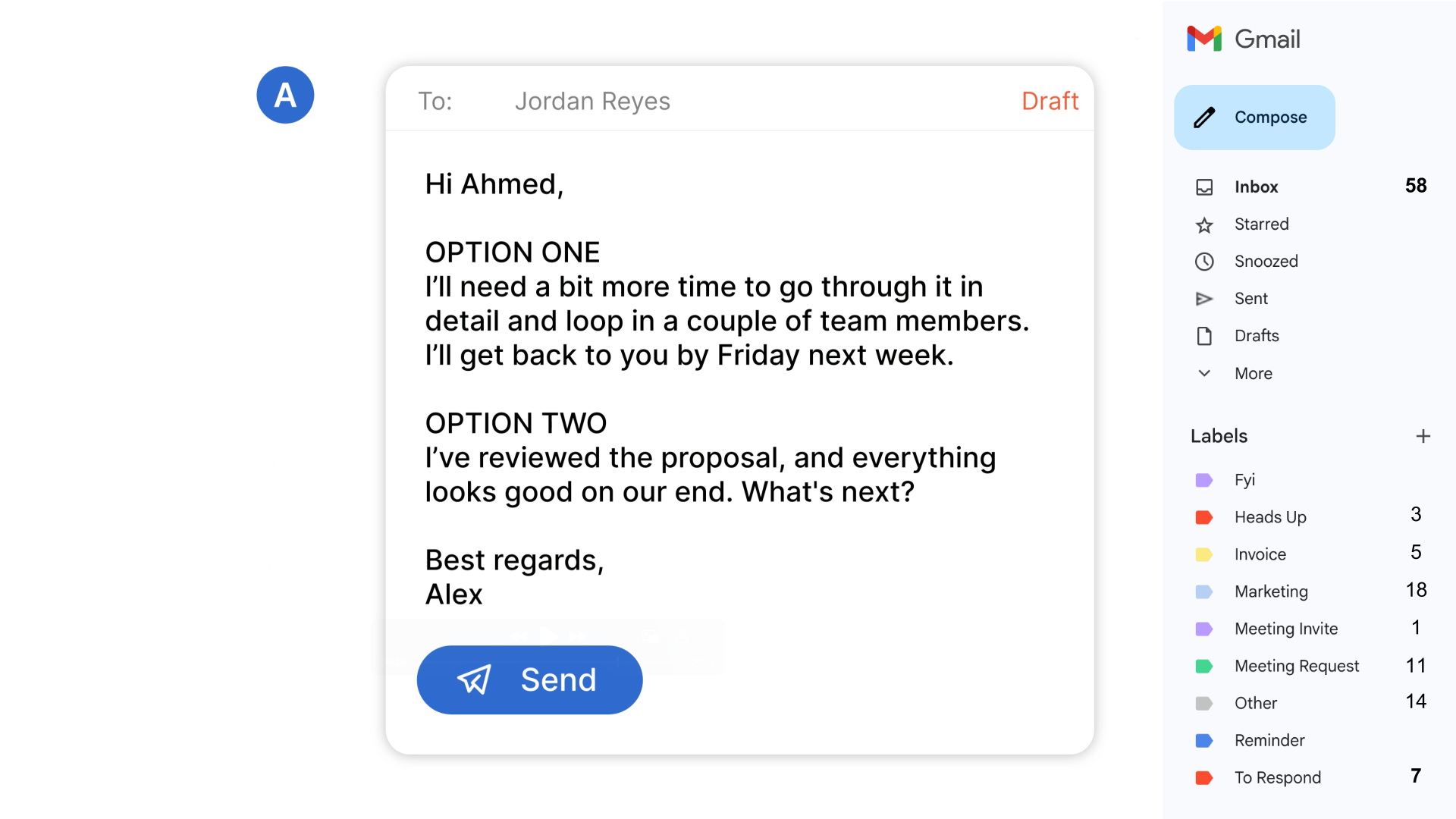
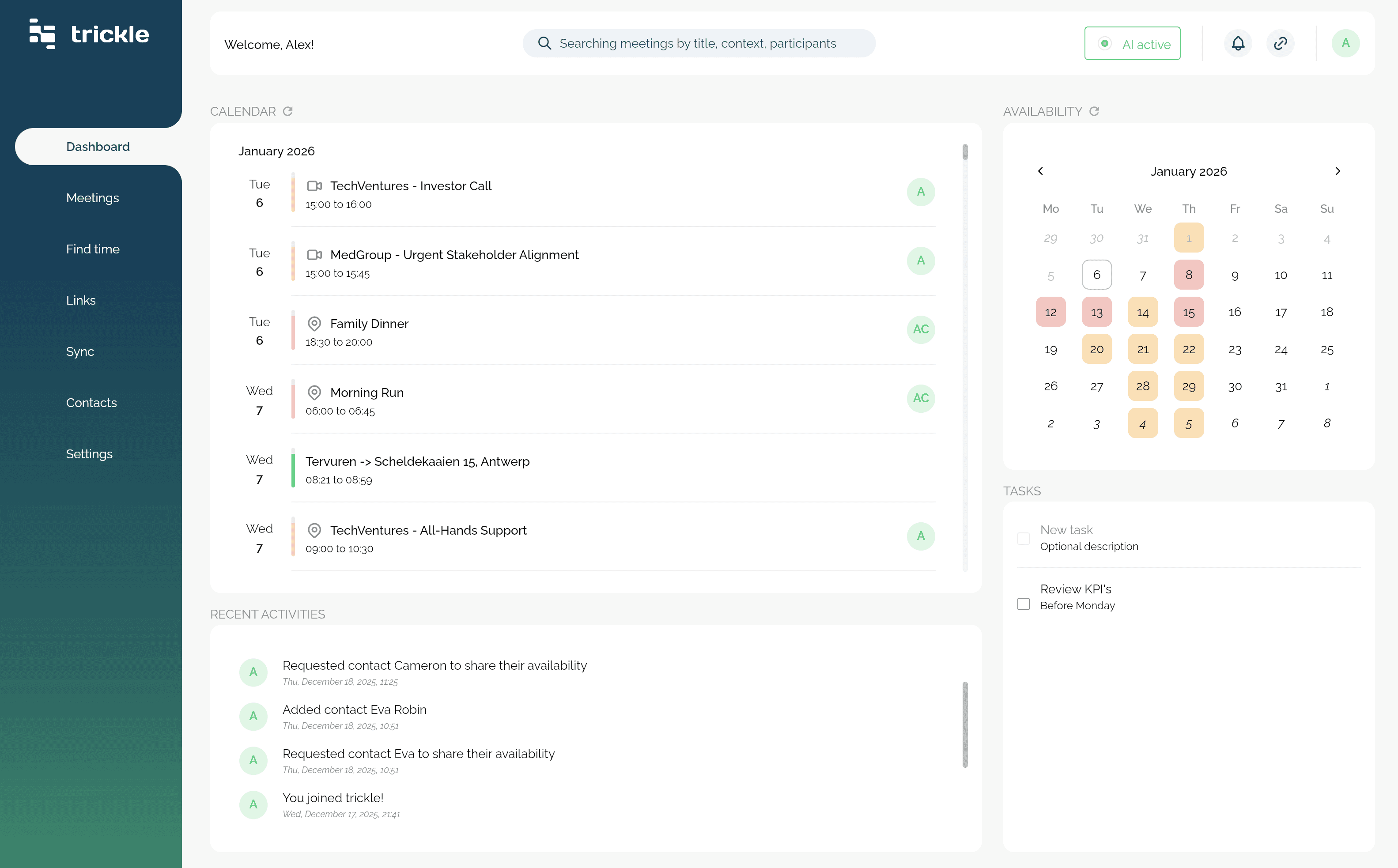
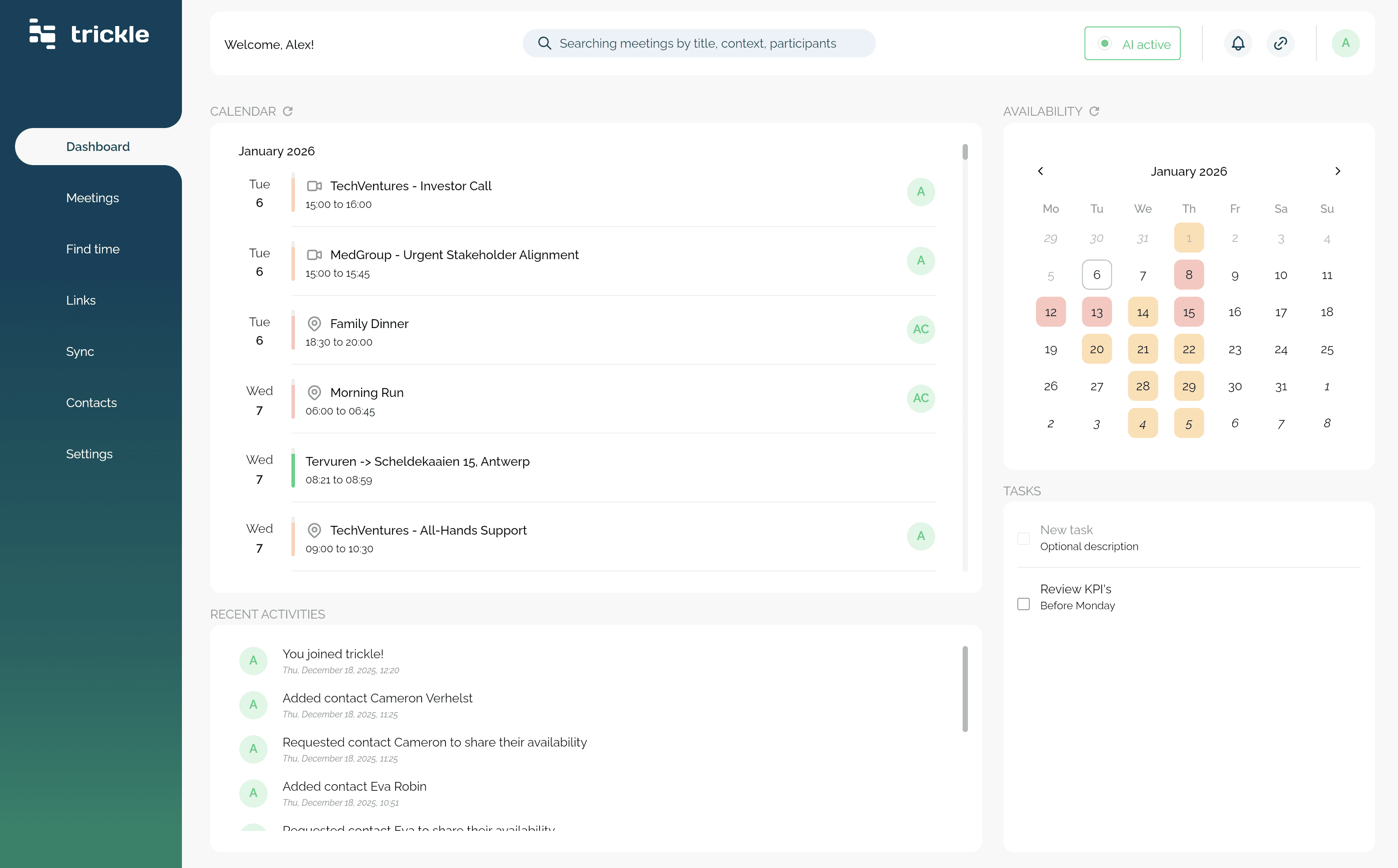
View all calendars as one

Trickle shows all connected calendars together so real availability is clear before committing. No more cross-checking or second-guessing.

Works across Google, Outlook, and Apple calendars

Works across Google, Outlook, and Apple calendars

Works across Google, Outlook, and Apple calendars

Nothing gets edited or reorganized

Nothing gets edited or reorganized

Nothing gets edited or reorganized

All calendars shown in one view

All calendars shown in one view

All calendars shown in one view

Updates automatically when meetings move

Updates automatically when meetings move

Updates automatically when meetings move

Keep calendars in sync

Trickle mirrors your events and meetings across selected calendars, so they stay aligned. When something changes in one place, it’s reflected everywhere without exposing more detail than you want.

Changes sync automatically across calendars

Changes sync automatically across calendars

Availability stays accurate without leaking context

Availability stays accurate without leaking context

No need to remember which calendar is “right”

No need to remember which calendar is “right”

Show full details, basic info, or keep events private
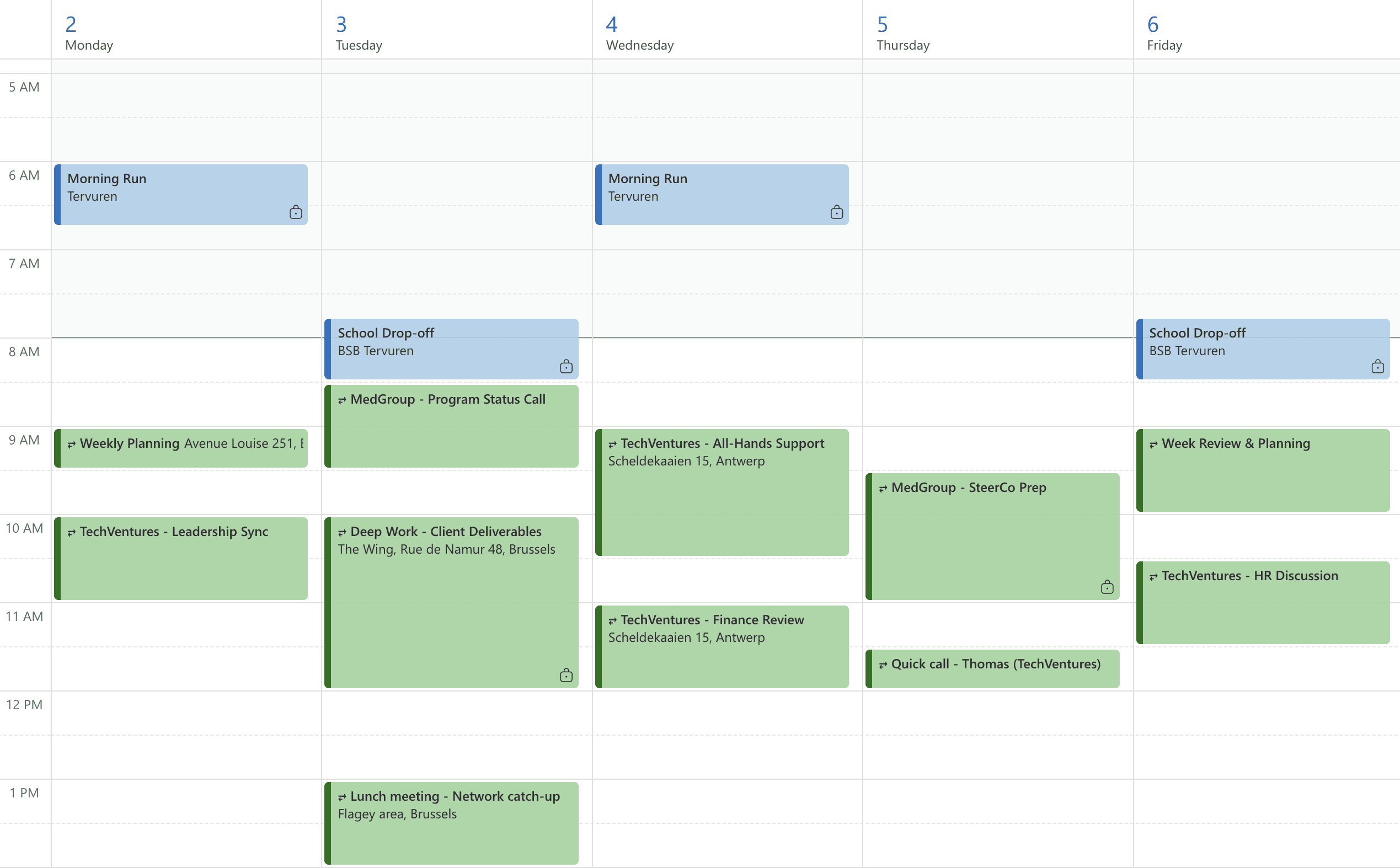
Show full details, basic info, or keep events private

Your data

Built and operated in Europe

Built and operated in Europe

EU-hosted by default

All customer data is hosted in European data centers, from production systems to backups. Nothing leaves the EU.

No foreign jurisdiction

Trickle has no US parent company and no offshore processing. Your data isn’t subject to foreign access laws.

In-house EU team

Product, infrastructure, and support are run by a European team.

In-house EU team

Product, infrastructure, and support are run by a European team.

In-house EU team

Product, infrastructure, and support are run by a European team.

GDPR by design

Data handling, retention, and access controls are built around GDPR from the ground up.

GDPR by design

Data handling, retention, and access controls are built around GDPR from the ground up.

GDPR by design

Data handling, retention, and access controls are built around GDPR from the ground up.

Predictable compliance

Easier procurement, fewer legal reviews, and no surprises during security assessments.

Predictable compliance

Easier procurement, fewer legal reviews, and no surprises during security assessments.

Predictable compliance

Easier procurement, fewer legal reviews, and no surprises during security assessments.

Testimonials

What users say about Trickle:

"I didn’t think meetings were my problem. Turns out it was everything around them."

Founder & CEO

"Hard to explain, but things stopped slipping. I wasn’t chasing people as much. Meetings felt cleaner. I noticed because my Slack reminders basically disappeared."

Chief of Staff

“I live out of my calendar. It used to surprise me constantly. That stopped. If that’s all Trickle did, I’d still keep it.”

VP Sales

“The follow-up after meetings used to pile up for me at the end of the day. Now it just shows up done. That was the ‘okay wow’ moment.”

Product Manager

“ok this is weird but my days feel lighter this week and the only thing I changed was Trickle”

Management Consultant

“We didn’t roll this out or anything. A few of us started using it and coordination just… smoothed out. Less re-doing the same stuff.”

Head of Operations

“was super skeptical about another calendar thing. but this one actually reduced work instead of creating it.”

Executive Assistant

“I noticed I stopped carrying action items around in my head after meetings. That was unexpected.”

Engineering Manager

“Once it was set up, I forgot about it. Which sounds bad, but it’s actually the best outcome. Things stayed aligned without me checking.”

COO

Pricing

14 days free, cancel anytime.

For individuals and businesses

Free

For personal use and getting started

0

/ month

Unified calendar view

Combined contact list

Personal task list

One calendar sync

Personal scheduling links

Free

For personal use and getting started

0

/ month

Unified calendar view

Combined contact list

Personal task list

One calendar sync

Personal scheduling links

Free

For personal use and getting started

0

/ month

Unified calendar view

Combined contact list

Personal task list

One calendar sync

Personal scheduling links

Premium

Popular

For professionals who want meetings handled end-to-end

30

/ month

Everything in Free

Unlimited sync

Teams scheduling link

Email automation

Meeting agent

Premium

Popular

For professionals who want meetings handled end-to-end

30

/ month

Everything in Free

Unlimited sync

Teams scheduling link

Email automation

Meeting agent

Premium

Popular

For professionals who want meetings handled end-to-end

30

/ month

Everything in Free

Unlimited sync

Teams scheduling link

Email automation

Meeting agent

Explainer

Get to know Trickle in 2 minutes

FAQ

FAQ

Some questions we get asked the most

What does Trickle actually do?

Trickle takes care of the work around meetings: planning, scheduling, inbox coordination, and follow-up.
It works directly in your inbox and calendar, so meetings don’t create extra tasks, tools, or cleanup.

How is Trickle different from scheduling tools like Calendly?

Trickle isn’t just a scheduling link.

Scheduling is one small part. Trickle also handles availability across calendars, email back-and-forth, meeting context, follow-ups, and inbox organization — before and after the meeting, not just booking it.

Do I need to change how I work?

No.

Trickle works inside your existing inbox and calendar.
You keep emailing, scheduling, and meeting the same way, Trickle simply takes over the manual parts in the background.

Does Trickle edit or change my calendars or emails?

No changes are made without your control.

Trickle reads context to help with scheduling and follow-up, but it doesn’t reorganize your calendars or rewrite emails on its own. You decide what’s shared and what stays private.

Who is Trickle for?

Trickle works well for individuals, and gets even more useful with teams.

It’s designed for busy professionals who have meetings across calendars, inboxes, and people, and want less coordination work, not another tool to manage.

Which calendars does Trickle support?

Trickle works with Google, Outlook, and Apple calendars.
You can connect multiple calendars and control what details are shared.

How long does setup take?

A few minutes.

You connect your inbox and calendar, and Trickle starts working immediately. There’s no configuration or training required.

Is Trickle safe to use at work?

Yes.

Trickle is built and operated in Europe, with EU-hosted infrastructure, GDPR-first data handling, and enterprise-grade security practices. It’s designed to pass legal, IT, and procurement reviews.

Where is my data hosted?

All data is hosted and processed in the EU.

Trickle is a Belgian company, with no US parent company and no offshore data processing. Your data isn’t subject to foreign access laws(like the US CLOUD Act).

Is my data fully secure and encrypted with Trickle?

Yes.

Trickle uses industry-standard encryption for data in transit and at rest, with strict access controls and EU-hosted infrastructure. Security and privacy are built into how the product operates, not added on later.

What permissions does Trickle request, and why?

Trickle only requests the permissions it needs to help with scheduling, inbox coordination, and meeting follow-up.

This includes reading calendar availability and email context when you involve Trickle, and creating events or drafts on your behalf when you explicitly ask it to. Nothing happens without your intent.

What happens if I stop using Trickle?

Nothing breaks.

Your calendars, meetings, and emails continue to work as usual.
Trickle doesn’t lock you in or leave behind dependencies.

What does Trickle actually do?

Trickle takes care of the work around meetings: planning, scheduling, inbox coordination, and follow-up.
It works directly in your inbox and calendar, so meetings don’t create extra tasks, tools, or cleanup.

How is Trickle different from scheduling tools like Calendly?

Trickle isn’t just a scheduling link.

Scheduling is one small part. Trickle also handles availability across calendars, email back-and-forth, meeting context, follow-ups, and inbox organization — before and after the meeting, not just booking it.

Do I need to change how I work?

No.

Trickle works inside your existing inbox and calendar.
You keep emailing, scheduling, and meeting the same way, Trickle simply takes over the manual parts in the background.

Does Trickle edit or change my calendars or emails?

No changes are made without your control.

Trickle reads context to help with scheduling and follow-up, but it doesn’t reorganize your calendars or rewrite emails on its own. You decide what’s shared and what stays private.

Who is Trickle for?

Trickle works well for individuals, and gets even more useful with teams.

It’s designed for busy professionals who have meetings across calendars, inboxes, and people, and want less coordination work, not another tool to manage.

Which calendars does Trickle support?

Trickle works with Google, Outlook, and Apple calendars.
You can connect multiple calendars and control what details are shared.

How long does setup take?

A few minutes.

You connect your inbox and calendar, and Trickle starts working immediately. There’s no configuration or training required.

Is Trickle safe to use at work?

Yes.

Trickle is built and operated in Europe, with EU-hosted infrastructure, GDPR-first data handling, and enterprise-grade security practices. It’s designed to pass legal, IT, and procurement reviews.

Where is my data hosted?

All data is hosted and processed in the EU.

Trickle is a Belgian company, with no US parent company and no offshore data processing. Your data isn’t subject to foreign access laws(like the US CLOUD Act).

Is my data fully secure and encrypted with Trickle?

Yes.

Trickle uses industry-standard encryption for data in transit and at rest, with strict access controls and EU-hosted infrastructure. Security and privacy are built into how the product operates, not added on later.

What permissions does Trickle request, and why?

Trickle only requests the permissions it needs to help with scheduling, inbox coordination, and meeting follow-up.

This includes reading calendar availability and email context when you involve Trickle, and creating events or drafts on your behalf when you explicitly ask it to. Nothing happens without your intent.

What happens if I stop using Trickle?

Nothing breaks.

Your calendars, meetings, and emails continue to work as usual.
Trickle doesn’t lock you in or leave behind dependencies.

What does Trickle actually do?

Trickle takes care of the work around meetings: planning, scheduling, inbox coordination, and follow-up.
It works directly in your inbox and calendar, so meetings don’t create extra tasks, tools, or cleanup.

How is Trickle different from scheduling tools like Calendly?

Trickle isn’t just a scheduling link.

Scheduling is one small part. Trickle also handles availability across calendars, email back-and-forth, meeting context, follow-ups, and inbox organization — before and after the meeting, not just booking it.

Do I need to change how I work?

No.

Trickle works inside your existing inbox and calendar.
You keep emailing, scheduling, and meeting the same way, Trickle simply takes over the manual parts in the background.

Does Trickle edit or change my calendars or emails?

No changes are made without your control.

Trickle reads context to help with scheduling and follow-up, but it doesn’t reorganize your calendars or rewrite emails on its own. You decide what’s shared and what stays private.

Who is Trickle for?

Trickle works well for individuals, and gets even more useful with teams.

It’s designed for busy professionals who have meetings across calendars, inboxes, and people, and want less coordination work, not another tool to manage.

Which calendars does Trickle support?

Trickle works with Google, Outlook, and Apple calendars.
You can connect multiple calendars and control what details are shared.

How long does setup take?

A few minutes.

You connect your inbox and calendar, and Trickle starts working immediately. There’s no configuration or training required.

Is Trickle safe to use at work?

Yes.

Trickle is built and operated in Europe, with EU-hosted infrastructure, GDPR-first data handling, and enterprise-grade security practices. It’s designed to pass legal, IT, and procurement reviews.

Where is my data hosted?

All data is hosted and processed in the EU.

Trickle is a Belgian company, with no US parent company and no offshore data processing. Your data isn’t subject to foreign access laws(like the US CLOUD Act).

Is my data fully secure and encrypted with Trickle?

Yes.

Trickle uses industry-standard encryption for data in transit and at rest, with strict access controls and EU-hosted infrastructure. Security and privacy are built into how the product operates, not added on later.

What permissions does Trickle request, and why?

Trickle only requests the permissions it needs to help with scheduling, inbox coordination, and meeting follow-up.

This includes reading calendar availability and email context when you involve Trickle, and creating events or drafts on your behalf when you explicitly ask it to. Nothing happens without your intent.

What happens if I stop using Trickle?

Nothing breaks.

Your calendars, meetings, and emails continue to work as usual.
Trickle doesn’t lock you in or leave behind dependencies.

Fly through work at 2x speed

From availability to follow-up, Trickle keeps everything connected and out of your head.

Icon
Icon
Icon
Dashboard

Fly through work at 2x speed

From availability to follow-up, Trickle keeps everything connected and out of your head.

Icon
Icon
Icon
Dashboard

Fly through work at 2x speed

From availability to follow-up, Trickle keeps everything connected and out of your head.

Icon
Icon
Icon
Dashboard